
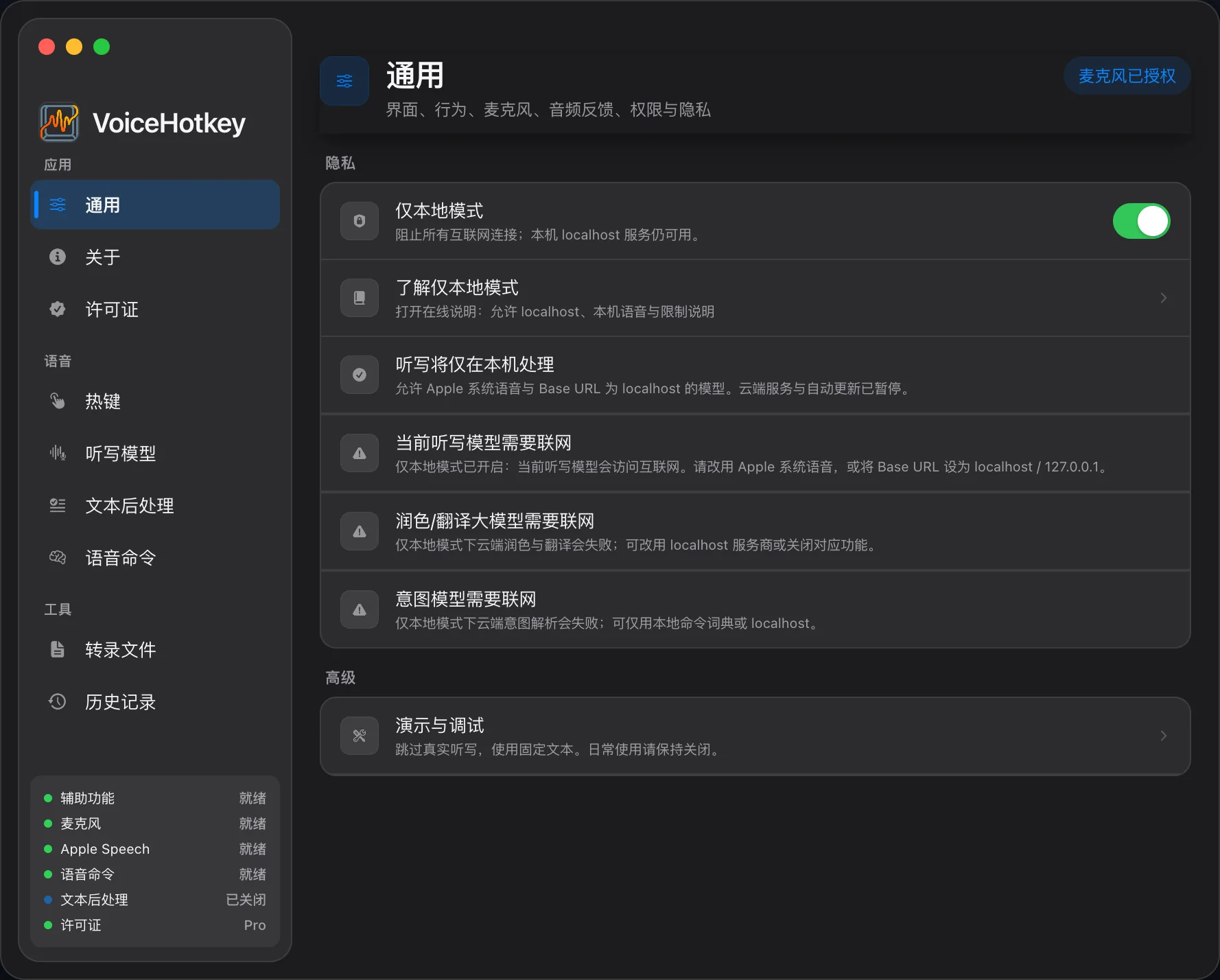
Local Only Mode
Local Only Mode rejects non-loopback ASR / LLM endpoints and pauses Sparkle update checks. It is an app policy for speech and model requests, not a network firewall for the whole app or system.
Commercial license activation, status checks, and deactivation can still contact the VoiceHotkey license service. Explicit model / runtime downloads are also outside the ASR / LLM restriction; install resources in advance. See BYOK & data flow for license request fields.
Enable
Section titled “Enable”Settings → General → Privacy → Local Only Mode.
Allowed endpoints
Section titled “Allowed endpoints”| Allowed | Not allowed |
|---|---|
localhost |
Public hostnames |
127.0.0.0/8, such as 127.0.0.1 |
LAN IPs, such as 192.168.x.x |
::1 |
.local names and 0.0.0.0 |
A NAS on your LAN does not pass the check; the endpoint must be loopback on this Mac. The check applies to the configured endpoint. Any onward forwarding by a local gateway depends on that gateway.
Behavior
Section titled “Behavior”| Item | With Local Only enabled |
|---|---|
| Apple and on-device ASR | Allowed; system, hardware, and installed resources must support it |
| Local Spark-X2.5 or loopback ASR / LLM | Allowed |
| Public ASR, such as Doubao’s official endpoint | Rejected; switch to an on-device engine |
| Public polish / translation / intent models | Model calls skipped; that feature does not complete, while applicable original-text or local-dictionary paths remain available |
| Apple native translation | Allowed; requires macOS 26+ and installed language resources |
| Local history and dictionary | Available |
| Automatic / manual Sparkle update checks | Paused |
| Commercial license activation, checks, deactivation | Can still use the network |
| Explicit model / runtime downloads | Still need the network and are not blocked by this policy |
Recommended setup
Section titled “Recommended setup”- Install the required local ASR / LLM models or Apple language resources first, and confirm compatibility.
- Choose Apple or an installed Qwen3-ASR / Whisper / MOSS / FireRed / Parakeet model, or a loopback service.
- Turn Local Only on. Use local Spark-X2.5 or a loopback LLM for polish / intent, and Apple native translation where supported.
- Try dictation and optional processing to check that no required endpoint is a blocked public service.
Selecting local models alone does not pause updates. Local Only adds endpoint restrictions and pauses updates. Neither approach stops commercial license requests. A fully offline machine also requires control of the system’s network connection.