

Voice models
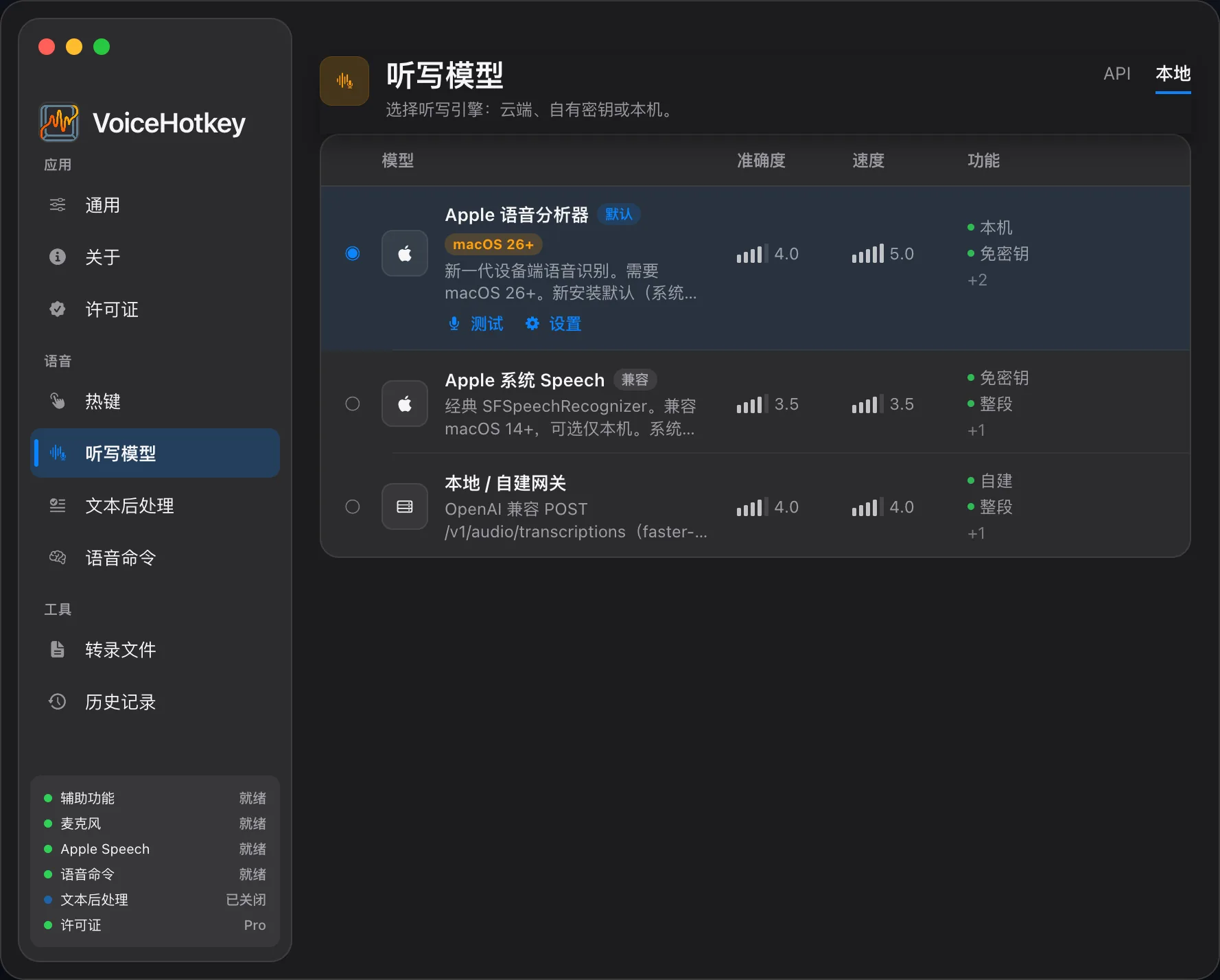
Choose an engine under Settings → Voice models. First launch defaults to Apple: SpeechAnalyzer on macOS 26+, and legacy Apple Speech on earlier supported systems.
Model availability: Fun-ASR-Nano and SenseVoice Small are available to download, select, and use for on-device recognition. Installed models work offline.
Plans for live voice typing
Section titled “Plans for live voice typing”| Available on Free | Available on Trial / Pro |
|---|---|
| Apple; Doubao (cloud service with your own credentials) | Available catalog |
| Built-in local SenseVoice Small, Qwen3-ASR 0.6B / 1.7B, Whisper Turbo / Small / Distil, MOSS-0.9B, Fun-ASR-Nano, FireRedASR, Parakeet TDT | Also includes Bailian, MiMo, Azure, Gemini, OpenAI Speech, Groq, ElevenLabs, Soniox, NVIDIA Speech NIM, OpenAI-compatible endpoints, and more |
OpenAI-compatible or faster-whisper endpoints still need Trial or Pro even at localhost. These are engine permissions for live voice typing; file transcription in the app separately requires Trial or Pro.
Network & installation
Section titled “Network & installation”| Kind | Processing and preparation |
|---|---|
| Apple SpeechAnalyzer (macOS 26+) | On-device recognition; system language resources may need downloading; no cloud API key |
| Legacy Apple Speech | Normal mode may use Apple’s cloud services; Local Only forces on-device recognition, which may fail for an unsupported language or system |
| Built-in local models | Download and install the required runtime and weights from the model page, then confirm readiness; installed models recognize on-device without an API key |
| Cloud services | Send audio to your selected provider; configure its credentials and endpoints |
| Compatible / self-hosted services | Send audio to your configured endpoint; network needs depend on its deployment |
Built-in local models infer on the full recording after it ends, rather than streaming words while you speak. Model files stay under local Application Support. Check the in-app catalog for model and language availability.
Denoising & hardware acceleration
Section titled “Denoising & hardware acceleration”The GTCRN denoising option under Settings → General → Microphone applies to supported sherpa-onnx local recognition paths. It does not process every Apple, cloud, or MOSS recording. Results depend on the audio and model.
Whisper can use installed CoreML acceleration resources. Availability and fallback depend on the model, runtime, and hardware; no fixed speed or power saving is guaranteed.
API keys & audio destinations
Section titled “API keys & audio destinations”Provider credentials you enter are stored in the macOS Keychain. Built-in local models process audio on-device; cloud engines and legacy Apple Speech have different data destinations. See BYOK & data destinations.
File transcription models
Section titled “File transcription models”Choose an independent model under Settings → File transcription → Choose model, with shared provider credentials. File transcription in the app requires Trial / Pro, and the selected engine’s permissions are still checked. See File transcription.
Local Only Mode
Section titled “Local Only Mode”Local Only allows Apple and built-in local engines, and forces legacy Apple Speech to recognize on-device. Other engines’ relevant endpoints must use localhost, 127.0.0.1, or ::1, while still meeting plan requirements. Install offline models and system language resources beforehand.
Proper nouns
Section titled “Proper nouns”Some engines provide context, prompt, or dictionary fields for names, brands, and terms. Use word replacements to correct the resulting transcript as well.