

History
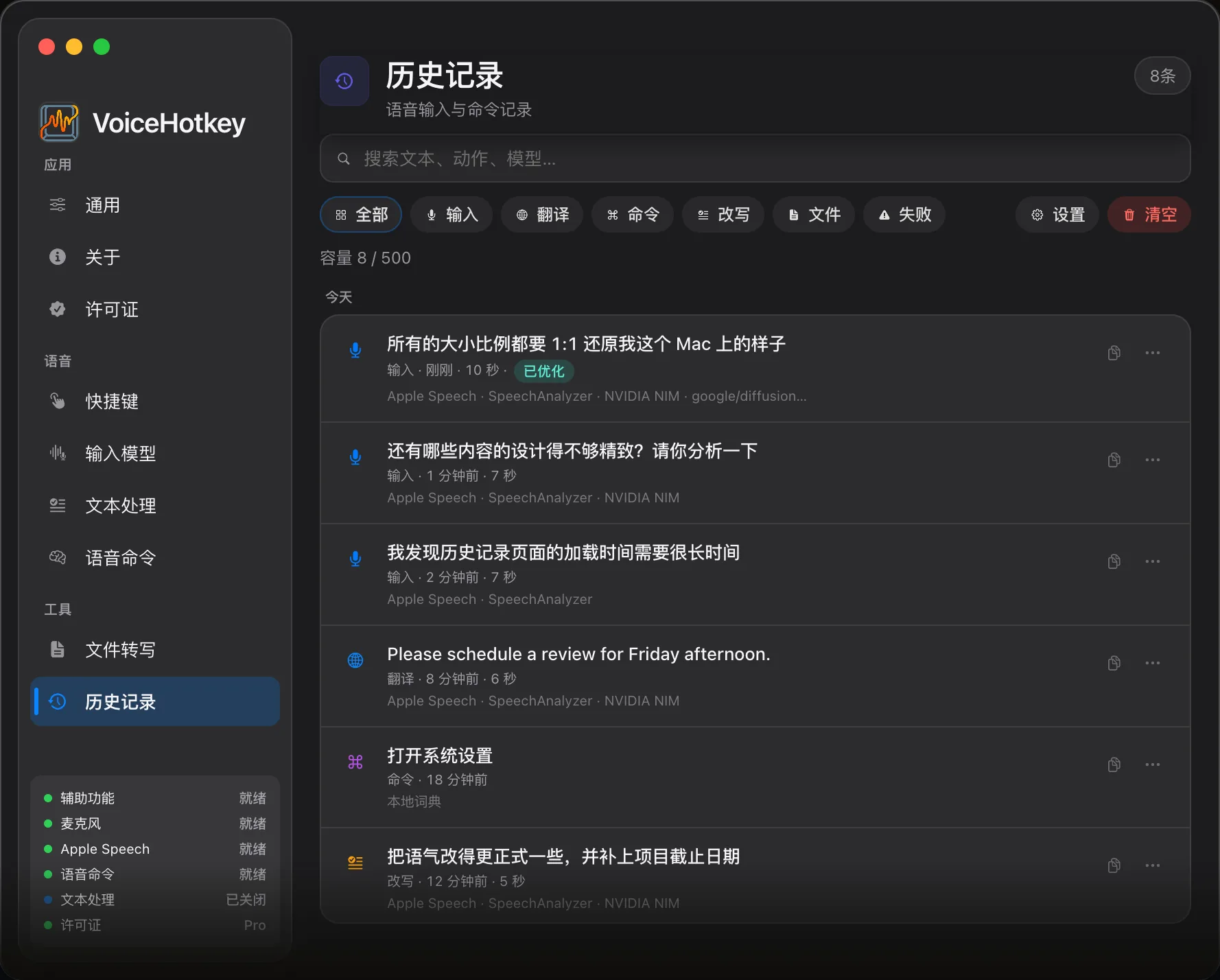
Voice typing, translation, commands, and file transcription results are saved in local history.
Open & use
Section titled “Open & use”Open History from the menu bar or Settings → History, or use voicehotkey://tab/history.
Search and filter by type or failure status. Open a record to inspect its original text, processed result, and status. Depending on the record, copy originals or results, reinsert text, rerun commands, or retry with typing where available. Reinsertion needs a destination field and Accessibility permission. The export menu can save filtered results to a file or copy them; an undo prompt can restore a deleted entry.
Retention
Section titled “Retention”| Plan | Policy |
|---|---|
| Free | Fixed maximum of 100 entries, not customizable |
| Trial / Pro | By count (default 500, maximum 10,000) or time; time mode also has a 10,000-entry safety cap |
Open Settings on the History page to change retention. Today starts at local midnight; other multi-day options use a time window. No time limit still has the count safety cap. Older records outside the policy are removed when retention is applied.
Command resolution source
Section titled “Command resolution source”Command list rows and details can display these source labels:
| Label | Meaning |
|---|---|
| Dictionary | Matched the local command dictionary, including learned commands saved there |
| Intent model | An LLM resolved the command intent |
| Manual | A manually triggered action path |
Learned commands also display Dictionary. The voice-typing overlay’s ⚡️0ms indicates skipped polish and has a different meaning from command source labels. Details show the source or intent-model time according to the actual resolution path.
Local storage
Section titled “Local storage”History uses JSON files under local Application Support with an atomic backup. Older UserDefaults history is migrated once. History storage itself provides no iCloud or server sync. Manage any exported, backed-up, or separately synced copies yourself. This does not change data sent to your selected recognition or LLM service; see BYOK & data destinations.