

Voice commands
Voice commands use a separate hotkey (default Middle mouse button). After speech recognition, commands can match the local user dictionary first, fall through to an enabled and available intent model, and execute an allowed action. Whether speech recognition uses the network depends on your voice model; the local dictionary avoids the LLM request for command parsing.
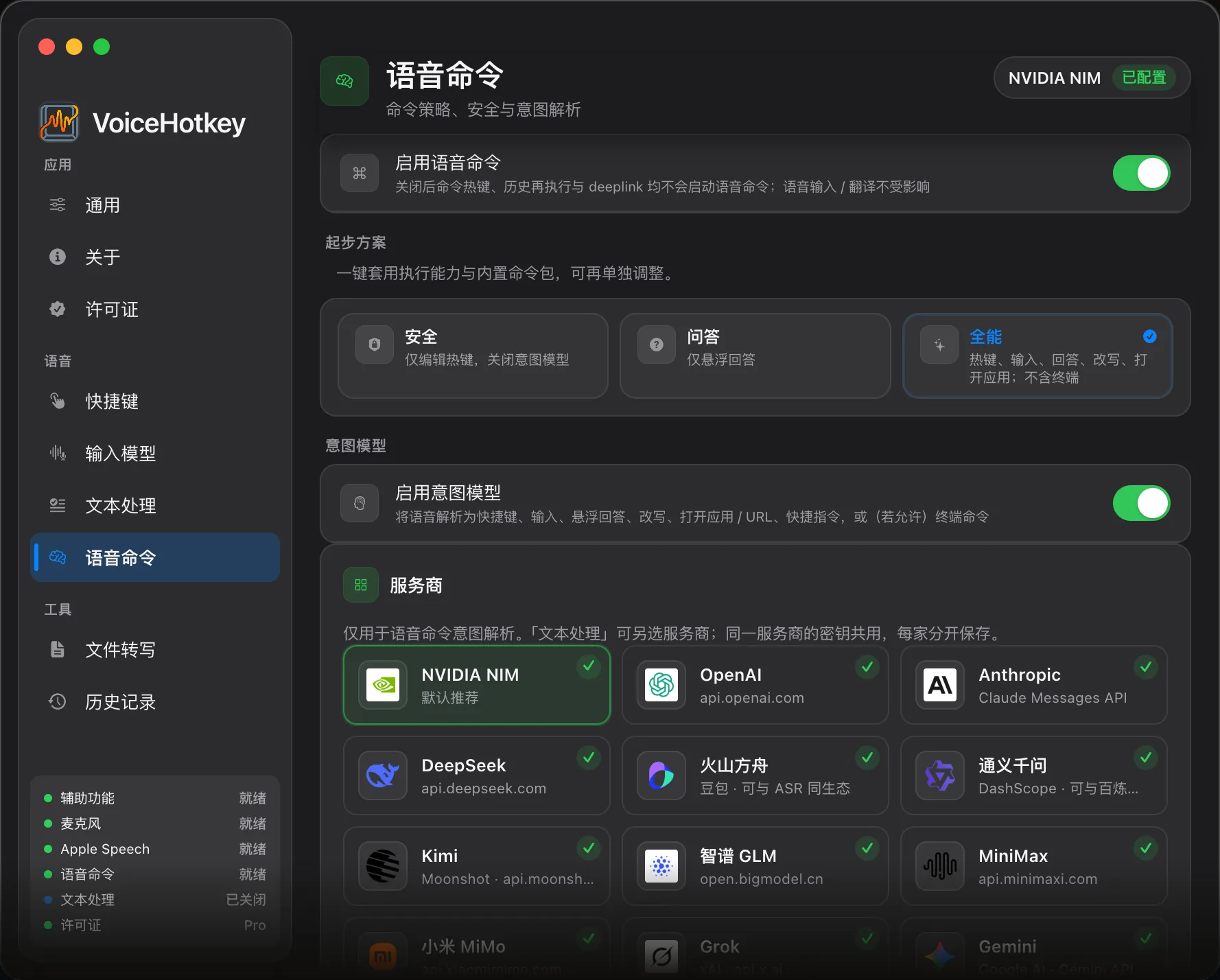
Master switch
Section titled “Master switch”Open Settings → Voice commands → Enable voice commands. It is on by default.
Turning it off blocks the command hotkey, history reruns, and command Deeplinks. Dictation and translation remain available. Existing preferences persist, but the action, dictionary, and intent settings below are hidden. Turn the master switch back on to edit them.
Actions
Section titled “Actions”Select capability cards under Actions to allow or block action types. These limits apply to both dictionary and intent actions.
| Card | Purpose | Default |
|---|---|---|
| Allow hotkeys | Inject hotkeys into the foreground app; dangerous-hotkey confirmation is available | On |
| Allow text insert | Insert text at the caret | On |
| Allow floating answer | Display a model-generated answer | On |
| Allow selection rewrite | Rewrite selected text with the intent model; requires Trial / Pro and an available model | On; license gated |
| Allow open app / file / URL | Open apps, files, websites, or System Settings | On |
| Allow Shortcuts | Run existing workflows in Shortcuts.app | On |
| Allow system control | Volume / brightness, media, lock / sleep, timers, windows, reminders, and events | On |
There is no Shell execution capability. Opening Terminal opens the app only. For prepared workflows, use existing Shortcuts; see Shell command status.
System control and optional permissions
Section titled “System control and optional permissions”Natural-language system actions normally use the Trial / Pro intent model, for example “move the window to the left half” or “remind me to submit the report tomorrow.” The manual dictionary editor has no system-action choice, but eligible successful actions can be auto-learned.
Window actions need Accessibility and depend on whether the target window supports resizing. Creating reminders or calendar events requests the corresponding macOS full access permission when needed. Denying it fails that action; neither permission is required for ordinary dictation. Items are saved to a default writable system list / calendar and may sync according to your system account settings. State the title and time clearly in your phrase, then confirm the result in the relevant app after execution.
Custom Command Dictionary
Section titled “Custom Command Dictionary”Open Settings → Voice commands → Custom Command Dictionary:
- Enter one or more phrases, separated by commas or other supported separators.
- Choose Hotkey, Insert text, Open app / URL, Open file, or Shortcut.
- Set the text, keys, target path, or shortcut name. Open file includes a file picker.
- Leave App Bundle ID empty for global scope, or restrict matching to that foreground app.
- Edit, enable / disable, or delete entries; filter manual and auto-learned entries.
Entries are stored in local preferences. There are no enabled bundled catalogs, command packs, or starter presets. Create examples from the Command reference.
Matching and fast path
Section titled “Matching and fast path”Exact matching runs first, followed by strict fuzzy matching. Each pass checks app manual → app auto-learned → global manual → global auto-learned entries, considering only enabled entries with allowed action types.
Prefer local dictionary is on by default. A match skips the intent model. Repeated successful model resolutions of the same phrase and eligible action can create an auto-learned entry with a lightning badge; Q&A and selection rewrite are excluded. Manage these entries in the dictionary. “0ms” names the path that avoids an LLM call; it is not a measured microphone-to-action duration.
Intent model
Section titled “Intent model”Trial / Pro only; Free uses the local dictionary. When enabled and configured, unmatched phrases can use a BYOK cloud model or an installed on-device Spark-X2.5 model.
The intent model can sync its provider, model, and endpoint with Text processing, or use independent settings after sync is disabled. Keys are shared per provider. Selection rewrite uses the intent configuration and the same license gate; polish / translation live in Text processing. Local Only blocks public intent endpoints, so use an on-device model or loopback endpoint.
Resolution sources in history
Section titled “Resolution sources in history”- Dictionary (
localRegistry): both manual and auto-learned user entries use this source. - Intent model (
llm): cloud or on-device LLM resolution. - Manual (
manual): manual action source.
The auto-learned badge belongs to dictionary management, not a fourth history source. See History.
Related
Section titled “Related”Reading and feedback
Section titled “Reading and feedback”In Settings → Voice Commands → Reading and feedback, configure automatic completed answers and operation feedback separately. Operation speech is off by default; rewritten text is read manually. Voice and rate remain available with automatic reading off, using local system speech.
- Choose and preview a voice for each language. Text segments select their language; the previous voice migrates only to its matching locale. Missing voices fall back with a notice.
- Pause, resume or stop from the floating card. The progress menu offers restart, previous and next segment. Narration keeps prose and link labels while omitting code, formulas and URLs.
- New recording, closing or switching answers, and text insertion stop reading. Sleep and default output device changes also stop it to avoid unexpected playback.